What Is Laptop Recycling?

Laptop recycling is the process of safely collecting, dismantling, and reprocessing old or unwanted laptops so their materials can be reused or disposed of responsibly. It keeps harmful components out of landfills while recovering valuable metals and parts. Done correctly, it reduces environmental damage and lowers the demand for new raw materials.

Here are a few key glossary terms you need to know:

  • E-waste: Discarded electronic devices such as laptops, phones, and tablets that require special handling.
  • Refurbishing: Repairing and restoring a laptop so it can be reused instead of recycled immediately.
  • Data sanitization: The secure removal of personal and sensitive data from storage devices.
  • Landfill diversion: Preventing electronic waste from ending up in landfills through recycling or reuse.
  • Rare earth metals: Scarce metals used in electronics that are difficult and costly to mine.
  • Hazardous materials: Substances like lead and mercury found in electronics that can harm people and the environment.
  • Responsible recycling: Recycling carried out through certified facilities that follow environmental and safety standards.
  • Circular economy: A system where products and materials are reused and recycled to reduce waste.

Why Recycle an Old Laptop?

When it’s time to say goodbye to an old laptop, it’s best to do it with care and concern. Laptops that are dumped carelessly add to the growing e-waste problem, leak harmful materials into the environment, and waste valuable resources that could be reused.

Old devices also hold personal data that is often never properly removed, making improper disposal a real security risk. Recycling ensures that those materials are recovered, data is handled safely, and the environmental impact of electronics is kept in check.

Carelessly thrown away laptops are a source of disaster for society in more ways than one.

  • They add to the e-waste issue. Old and discarded laptops make up a huge portion of electronic waste. Since most of the e-waste is never recycled, every time we throw away a laptop, phone, or tablet, we contribute to the global e-waste crisis.
  • E-waste is the fastest-growing environmental crisis. The world produces more than 50 million MT of e-waste every year. Only about 17% of it is recycled. This crisis has reached such massive proportions that, if we don’t mend our ways, by the mid-2030s, we might need an entire additional planet just to ensure our species’ survival.
  • Careless laptop disposal poses cybersecurity threats. Devices such as phones and laptops contain private and sensitive consumer information. Most of this information is never or only lazily removed from the machines. In the wrong hands, a carelessly dumped laptop can spell disaster for individuals, families, and even national security.
  • Laptops are made of precious raw materials. Valuable metals like gold, silver, platinum, and cobalt are used to make everyday laptops. When we throw them away, we lose billions of dollars’ worth of raw materials every year. Every ton of e-waste contains 100x more gold than an actual gold ore.
  • Laptop recycling can help us save energy. If we recycle a million laptops, it can provide energy to 3657 US homes for a year.

Now that you know proper laptop recycling is a big deal, what can you do to make sure you’re doing it safely and responsibly? Let’s find out.

How to Recycle a Laptop: A Six-Step Process

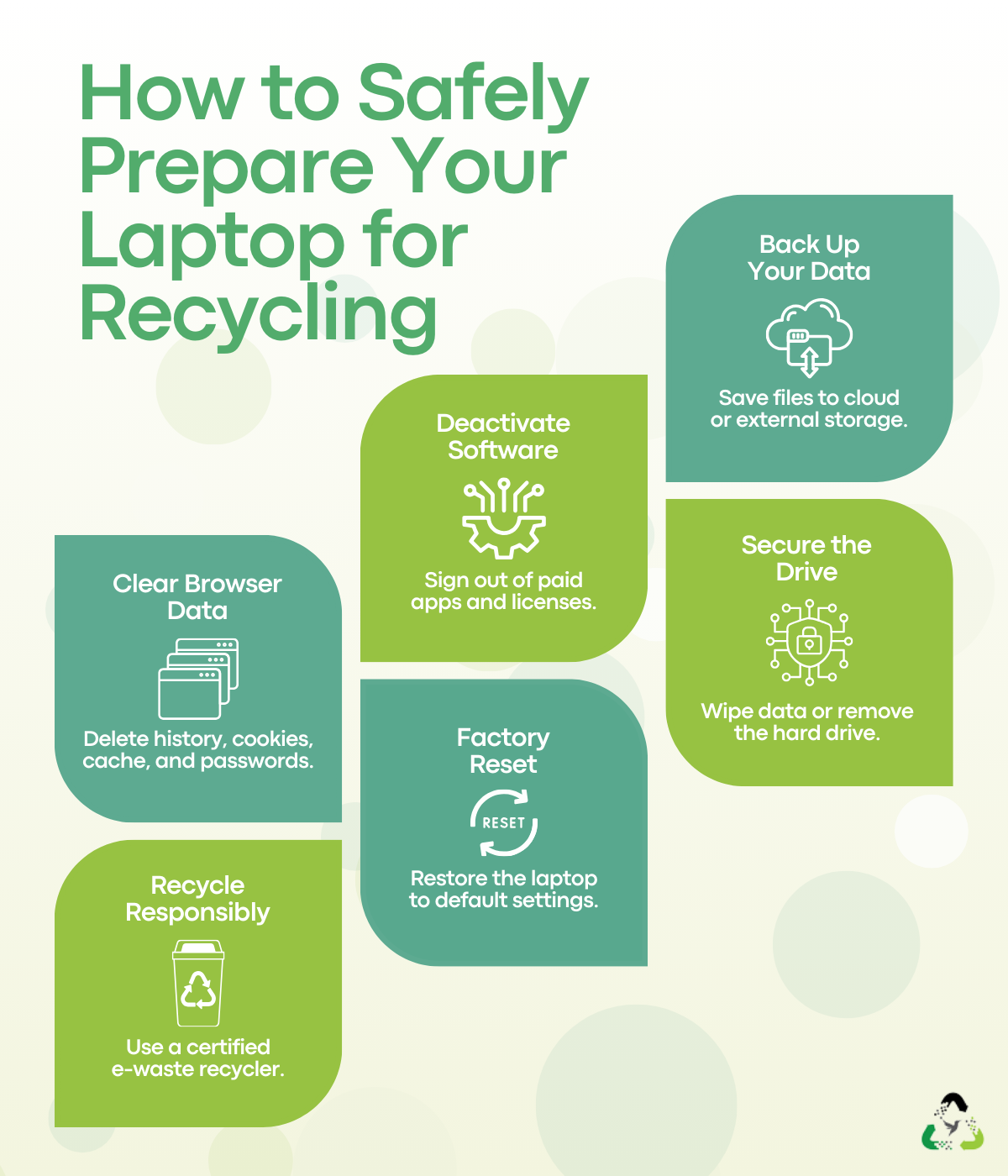
Save this checklist and come back to it whenever you need to recycle a laptop, whether it is today or a few years down the line.

Steps to safely prepare a laptop for recycling, including data backup, secure wiping, and responsible e-waste disposal.

Step 1: Create a Backup to Save Important Data

Before you do anything else, make sure every file you might need later is safely stored somewhere else. This matters even more if the laptop was used for work or remote jobs.

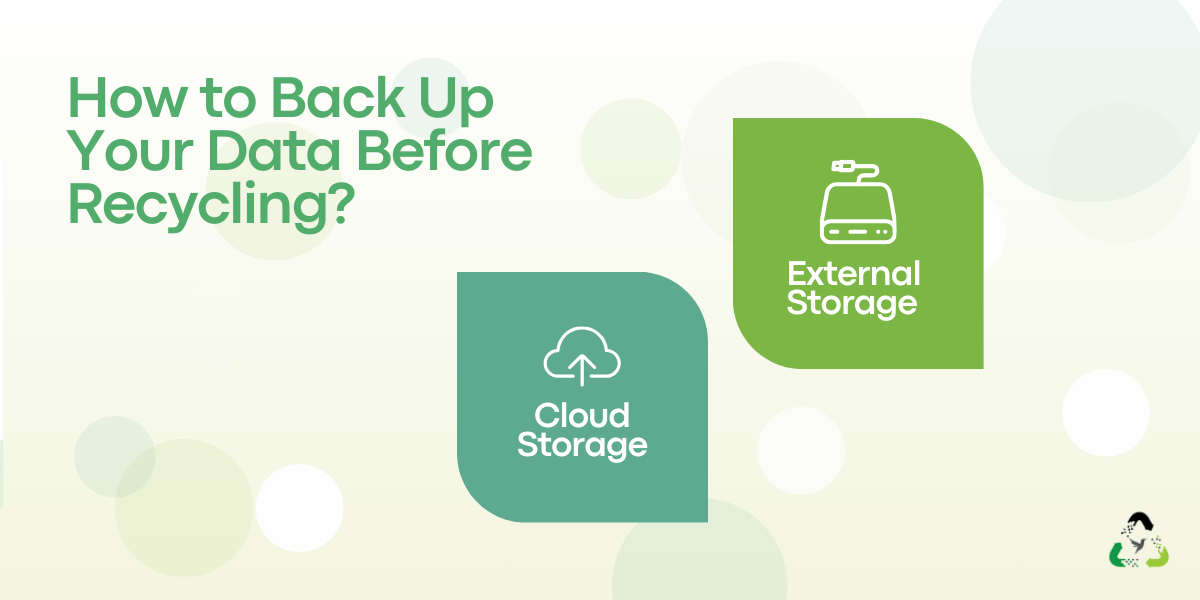
You can back up your data in two common ways:

Illustration showing data backup options before recycling, including cloud storage and external storage devices.
  • Cloud storage: Services like Google Drive or Dropbox work well for everyday files
  • External storage: An external hard drive is the better option if you have large files or limited cloud space

Make sure you transfer everything. This includes documents, photos, videos, passwords, tax records, banking details, notes, and downloads. Once the backup is complete, double-check that the files open correctly from the new location. Do not leave anything behind.

Step 2: Deactivate and Remove Licensed Software

If your laptop has paid or licensed software installed, you need to deactivate those licenses before recycling the device.

Common examples include:

  • Microsoft Office
  • Adobe products
  • QuickBooks
  • Paid antivirus software

Most software vendors limit how many devices a license can be used on. If you skip this step, you may lose access or end up paying again. The process varies by company, so check the vendor’s support page or contact their support team directly for guidance.

Step 3: Delete Browsing History

Our web browsers save a lot of information for us to optimize their performance. When you no longer use your current laptop, it’s best to remove all residual information from the browser’s memory and wipe it clean. This includes browsing history, downloads, saved sessions, cookies, and cached files.

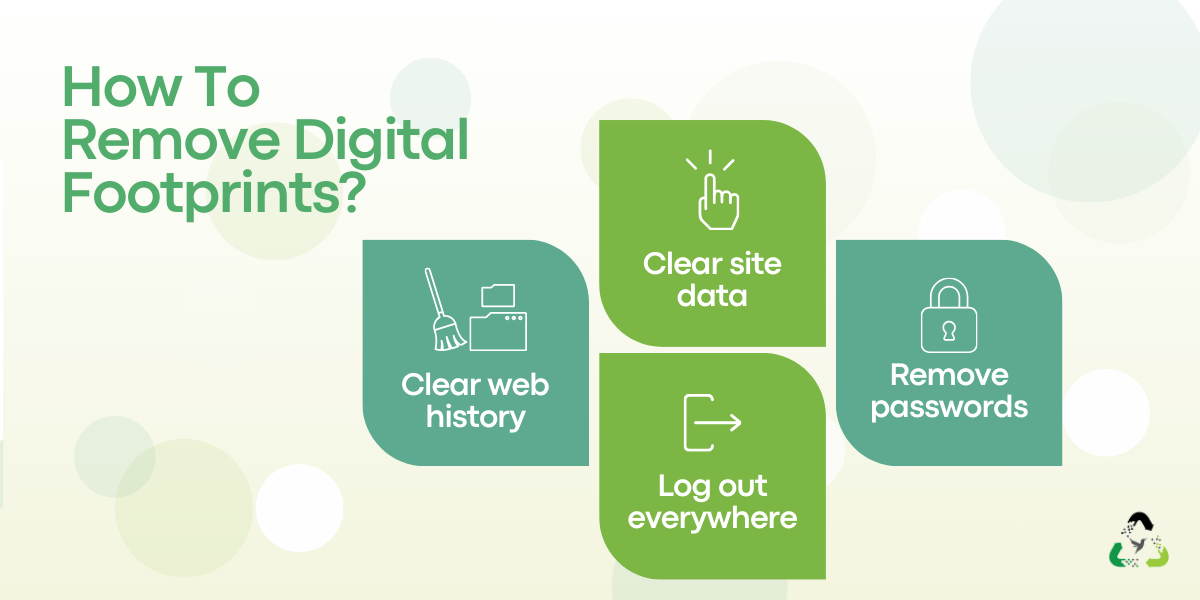
So, before recycling your laptop:

Steps to remove digital footprints by clearing browsing history, deleting cache and cookies, signing out of accounts, and removing saved passwords.
  • Clear browsing and download history
  • Delete cache and cookies
  • Sign out of all accounts
  • Remove saved passwords from the browser

This helps reduce the risk of leftover personal data being accessed later.

Step 4: Explore Your Hard Drive Options

Once you have removed all data and transferred it to a safe location, it’s time to consider disposing of the hard drive. That’s because deleting files alone does not fully remove data. Residual information can still be recovered using data retrieval tools. At this stage, you have two practical options.

Option 1: Use data-wiping software

Data wiping works by overwriting existing data with random information until it becomes unreadable. This method follows Department of Defense data destruction standards.

Things to keep in mind:

  • HDDs and SSDs require different tools
  • HDDs can be wiped using software like DBAN
  • SSDs usually require manufacturer tools such as Samsung Magician or Intel SSD Toolbox
  • You can check your drive type through Device Manager on Windows or System Information on macOS

Data wiping can take several hours, depending on drive size and overwrite passes.

Option 2: Remove the hard drive

If wiping sounds too complex or the drive is damaged, you can physically remove it before recycling the laptop. Most recycling centers accept laptops without hard drives.

Situation Recommended action
Drive works, and you want to reuse it
Use a low-cost adapter to turn it into an external drive
Drive is damaged or unusable
Use a certified data destruction service for physical destruction 

Step 5: Factory Reset Your Laptop

Once your data has been safely stashed away and you have dealt with the complex problem of hard drive erasure, it’s now time to restore your laptop to its factory settings.

For Windows and iOS, the process is going to be somewhat different.

For Windows 11:

  • Go to Settings > System > Recovery > Reset this PC
  • Click on ‘Reset PC’ > Remove everything > Local reinstall
  • Click on the ‘Change settings’ link > Clean data > Confirm > Next > Reset

For Windows 10:

  • Press the ‘Windows’ key > Type ‘Reset this PC’ > Press Enter
  • Click on Get Started > Select ‘Remove everything’ > Select ‘All drives’
  • Click on ‘Local reinstall’ > Click on the ‘Change settings’ link
  • Click on ‘Remove files and clean the drive’ > Press ‘Reset’

For Windows 8:

  • Press the ‘Windows’ key plus ‘i’ > Change PC settings
  • Click on ‘Update and recovery’ > Recovery
  • Remove everything > Get started

For macOS Monterey:

  • From the ‘Apple’ menu > System Preferences
  • Choose ‘Erase All Content and Settings’

For macOS Ventura or later versions:

  • From the ‘Apple’ menu > System Settings
  • Click on ‘General’ in the sidebar > Transfer or Reset
  • Choose ‘Erase All Content and Settings’

Please note that all of these options keep your operating system intact and installed as you wipe all the drives clean and restore the laptop to its factory settings.

Step 6: Find a Professional Electronic Recycler

With your laptop ready, the final step is choosing the right ITAD partner. Start by looking for a local laptop recycling service. Local recyclers are more familiar with regional laws and current e-waste guidelines.

When comparing options, check whether they offer:

  • Certified e-waste handling
  • Secure data destruction policies
  • Asset remarketing or refurbishment programs

Many recyclers earn value from recovered components or refurbished devices and pass some of that benefit back to consumers. This often means free laptop recycling and, in some cases, cash returns.

If you work with a recycler that offers e-waste pickup services, the process becomes even simpler. Once collected, your laptop is responsibly processed, reused where possible, and recycled safely where necessary.

Contact Us for Free E-Waste Pickup

Laptop Recycling Options: Which Path Makes Sense?

When it comes to old laptops, there isn’t just one way to handle them. Depending on your goals—whether it’s protecting sensitive data, being environmentally responsible, or even getting some value back—there are multiple options to consider. Choosing the right path ensures your laptops contribute to sustainability rather than adding to the growing e-waste problem.

Here’s a closer look at the main options.

1. Corporate ITAD (IT Asset Disposition)

Corporate ITAD is the most structured option, ideal for organizations that want to monetize IT assets while staying compliant and secure. ITAD providers take care of every stage of the laptop’s retirement process, from data destruction to the resale of reusable components.

Why it works:

  • Handles bulk devices efficiently, perfect for companies replacing multiple laptops at once
  • Certified data destruction protects sensitive corporate or client information
  • Provides reporting and tracking for compliance and audit purposes
  • Refurbishing or remarketing components allows organizations to recover value from old laptops

Best for: Businesses or institutions with multiple devices to retire, especially when the laptops contain sensitive or regulated data.

Tips for ITAD:

  • Choose a certified ITAD provider with clear environmental and data handling standards
  • Ask about the potential resale or recycling value of the devices
  • Ensure all data destruction is documented for compliance

2. OEM Take-Back Programs

Many laptop manufacturers run take-back programs or trade-in initiatives. These programs allow users to return old devices so the manufacturer can recycle or refurbish them in accordance with brand standards.

Top benefits:

  • A manufacturer-managed process ensures proper e-waste recycling
  • Easy mail-in or drop-off options at designated locations
  • Some programs offer trade-in credit toward a new device, helping offset the cost of upgrades

Best for: Users with brand-specific laptops that are still functional or recently retired.

Important considerations:

  • Always securely erase personal data before sending the device
  • Not all models may be accepted by the manufacturer
  • Credit or incentives vary by brand and model

3. Donation

Donation is one of the most socially responsible ways to handle an old laptop. Working laptops can be passed to schools, nonprofits, or community programs, extending their life and keeping them out of landfills.

Why it matters:

  • Functional laptops are reused rather than recycled immediately, reducing overall e-waste
  • Supports educational initiatives and community access to technology
  • Encourages a culture of reuse, lowering demand for new devices

Best for: Personal laptops in working condition that can still provide value to others.

Key tips for donation:

  • Securely wipe all data and perform a factory reset
  • Check that the device meets minimum usability standards
  • Consider donating to verified nonprofits or programs that can ensure proper usage

Here’s a quick comparison of these options:

Options Best suited for Data security Environmental benefit Value outcome
Corporate ITAD
Businesses and bulk devices Very high High Financial recovery possible (monetize IT assets)
OEM take-back
Brand-specific personal laptops Moderate to high Moderate to high Store credit or convenience
Donation
Working personal laptops Depends on user action Very high Social and community value

Whether you choose e-waste recycle or refuse, the focus should always be on responsible handling. By choosing a path that fits your laptop’s condition and your goals, you can ensure it leaves a positive impact.

Global Overview and Approaches to E-Waste Disposal

When electronics like laptops reach the end of their usable life, they don’t just disappear. Some are reused, rebuilt, or stored away, but eventually, most end up in one of three waste treatment streams:

  • Formal recycling
  • Informal recycling
  • Landfilling

Countries with Strong E-Waste Management Systems

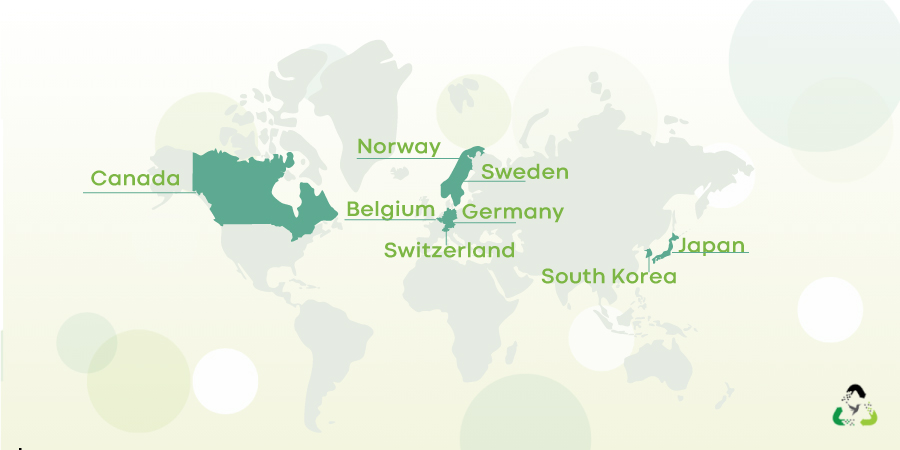
As interest grows in choices such as whether to recycle or reuse e-waste, some countries have enacted e-waste legislation and practices that balance convenience and the recovery of value.

World map highlighting Switzerland, Sweden, Norway, South Korea, Japan, Germany, Belgium, and Canada with key e-waste generation and recycling statistics.
  • Switzerland: Easy drop-off at any electronics store and strict manufacturer take-back laws drive results. In 2022, Switzerland generated 204 kt of e-waste (23.4 kg per capita), with 129 kt formally collected, achieving a recycling rate of over 75%.
  • Sweden: Strong regulation paired with public education makes recycling a routine habit. Sweden recycles over 70% of its e-waste, far above the EU average of 42%.
  • Norway: Extended Producer Responsibility laws force manufacturers to fund recycling and design better products. In 2022, Norway generated 27.5 kg of e-waste per person and collected 72%, totalling 107 kt.
  • South Korea: Public-private partnerships and consumer incentives power a nationwide collection network. The country generated 930 kt of e-waste (17.9 kg per capita), with 443 kt formally collected in 2022.
  • Japan: Strict appliance recycling laws ensure material recovery from high-impact electronics. Japan generated 2.57 million metric tonnes of e-waste in 2019 and currently recycles about 20%.
  • Germany: Flexible return options and a strong focus on reuse help extend device lifecycles. Germany maintains an e-waste recycling rate of around 40%.
  • Belgium: Free take-back programs and simple drop-off points boost participation. In 2022, Belgium generated 252 kt of e-waste (21.7 kg per capita) and collected 163 kt.
  • Canada: Province-level programs and nonprofit partnerships drive gradual improvement. In 2019, Canada generated 757,000 metric tonnes of e-waste, with a recycling rate of about 20%.

Countries With Poor E-Waste Management Systems

In contrast, many countries still struggle with e-waste, often due to weak infrastructure, informal recycling, and low public awareness.

  • India: India generates over 3.2 million metric tons of e-waste annually, much of it handled by the informal sector. In FY 2023 alone, the country generated 1.6 million metric tonnes, often recycled using unsafe methods.
  • Ghana: Ghana hosts Agbogbloshie, one of the world’s largest e-waste dumping sites. In 2022, the country generated 71 kt of e-waste (2.2 kg per capita), with no formal collection reported.
  • United States: The US generates millions of tons of e-waste each year, but lacks a federal recycling law. Recycling is regulated at the state level, leading to inconsistent systems and uneven results nationwide.

Where Does All the E-Waste End Up?

Despite growing awareness around recycling, most e-waste still does not end up where it should. A large share is dumped, burned, or handled in unsafe ways, often far from where it was originally used. Only a small portion is properly recycled, while the rest creates serious environmental and human costs that are easy to overlook.

Where It Goes (And What Happens There)

Diagram showing where e-waste ends up, including landfills, informal recycling sites, illegal dumping, formal recycling facilities, and donation or reuse.
  • Landfills and incinerators

The largest share of e-waste ends up in landfills or is incinerated. Hazardous components such as lead, mercury, and flame retardants are buried or burned, slowly polluting surrounding ecosystems.

  • Informal recycling sites

A significant amount is processed in informal hubs like Agbogbloshie in Ghana or areas near Manila Bay. Electronics are dismantled by hand and burned to extract metals, releasing toxic fumes and residues into the air, soil, and water.

  • Illegal dumping and exports

E-waste is often shipped illegally to developing countries under the label of “donations” or secondhand goods. Local systems are unable to handle the volume, leading to uncontrolled dumping.

  • Formal recycling facilities

Only about 20 percent of global e-waste is collected and treated in certified recycling facilities that safely recover materials.

  • Donation and reuse

A small portion of functional devices is donated, extending their lifespan. While positive, this represents only a fraction of total e-waste.

Why This Is a Problem

  • Health hazards

Workers in informal recycling sites, along with nearby communities, are exposed to toxic substances such as lead, mercury, and cadmium. These toxins are linked to long-term health issues, including respiratory disease, neurological damage, and developmental problems in children.

  • Environmental damage

When e-waste is burned or dumped, harmful chemicals seep into soil and waterways or are released into the air. This contamination damages ecosystems, pollutes drinking water, and affects agriculture and wildlife over time.

  • Resource loss

Electronics contain valuable materials like gold, silver, and copper. When e-waste is mismanaged, these resources are lost rather than recovered and reused, increasing the need for new mining and further environmental strain.

To Sum Up

Getting rid of old laptops doesn’t always have to be stressful. By recycling it properly, you protect your data, reduce e-waste, and make sure valuable materials don’t go to waste. For a simple, safe, and responsible way to recycle your device, turn to Hummingbird International LLC. We handle everything, so you don’t have to worry.

Retire Your Old Laptops Responsibly

FAQs

These are the internet’s most frequently asked questions about laptop recycling.

1. How to remove the hard drive from a laptop before recycling it?

Start by powering off the laptop and unplugging it. Flip it over and remove the screws using a screwdriver. Detach the battery and slide out any removable components, such as the optical drive. Carefully open the casing, remove any remaining screws, and locate the hard drive. Once visible, unscrew it and lift it out gently.

2. Should I donate an old laptop or recycle it?

Donate the laptop if it still works, is under five years old, and can realistically be used by someone else. Schools, charities, or families can benefit from a functional device, provided all data is securely wiped beforehand.

Recycle the laptop if it is broken, outdated, more than five years old, or too slow to be useful. Recycling is also the better option when repairs cost more than the device is worth or when safe reuse is no longer practical.

3. How can I make sure my personal data is completely secure before recycling a laptop?

To keep your data safe, take these steps before handing your laptop over:

  • Back up all important files to a secure location
  • Sign out of accounts and deactivate licensed software
  • Clear browsing history, cache, and saved passwords
  • Wipe the hard drive using data-wiping software
  • Factory reset the laptop or remove the hard drive entirely

4. What happens to a laptop after it is sent to a recycling facility?

At a recycling facility, the laptop is first inspected to see if it can be reused or refurbished. Any remaining data is securely wiped, or the hard drive is destroyed. Reusable parts are separated, while non-working components are dismantled and processed so metals, plastics, and other materials can be recovered and recycled safely.