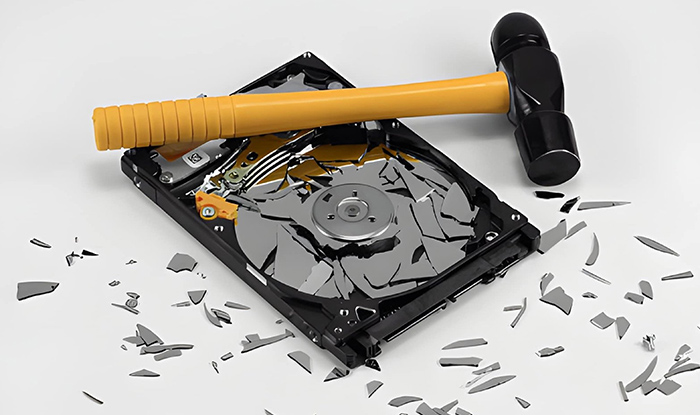
Retired devices are often treated as finished business, but the data inside them does not disappear on its own. Hard drives and storage systems can still contain recoverable information unless they are properly destroyed. That leaves organizations with a simple but important choice in how they handle the process. Some prefer destruction to happen on their premises, others rely on secure external facilities built for scale and processing efficiency. Both approaches are widely used, but they differ in control, cost, and operational impact. Understanding those differences is what this discussion is about.
- Data Destruction Isn’t Optional Anymore: Here’s Why
- What Is On-Site Data Destruction?
- What Is Off-Site Data Destruction?
- On-Site vs Off-Site: A Direct Comparison
- Use-Case Based Recommendations
- A Simple Decision Framework Before You Choose
- Make the Right Call for Your Data
- Frequently Asked Questions
- 1. Is deleting or formatting a device enough before disposal?
- 2. How do I know if my data has been completely destroyed?
- 3. Is off-site data destruction safe for sensitive information?
- 4. What is the difference between data wiping and physical destruction?
- 5. What happens to devices after data destruction?
Data Destruction Isn’t Optional Anymore: Here’s Why
Deleting files or formatting a drive feels final, but it rarely is. In most storage systems, that action only removes pointers to data, not the data itself. With basic recovery tools, fragments of old files can still be pulled back unless the device has been properly sanitized or destroyed. This is one of the reasons discarded IT equipment is treated as a security risk rather than just waste.
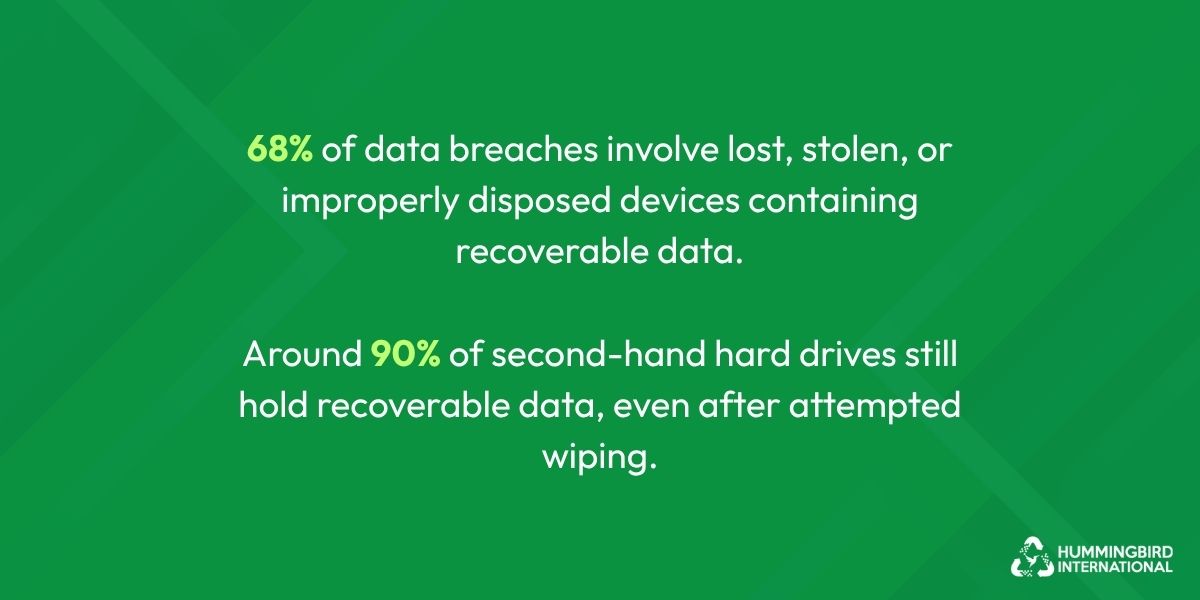
A large share of data breaches still traces back to lost or improperly disposed devices. One industry review found that 68% of breaches involve lost, stolen, or discarded hardware carrying recoverable data.
Another study highlighted that around 90% of second-hand drives still contain recoverable information, even after attempts to wipe them. That gap between “deleted” and “gone” is where most of the risk sits.
Regulations have also tightened the pressure. Frameworks like GDPR and HIPAA expect organizations to show that personal data is not just removed, but made unrecoverable. A recent compliance analysis noted that over 60% of discarded devices still contain recoverable data, creating direct GDPR exposure for businesses if not handled correctly .
There is also a wider environmental angle. Global e-waste recovery remains low, with only about 10–20% properly collected and processed in many regions, meaning large volumes of devices still circulate through informal channels. That increases the chance of data exposure long after a device leaves an organization.
Risk Snapshot
| Risk Area | Without Proper Destruction | With Certified Destruction |
| Data recovery | High (recoverable fragments remain) | Near zero |
| Compliance risk | Severe exposure under GDPR/HIPAA | Controlled and documented |
| Legal exposure | Difficult to defend in audits | Supported by certificates and logs |
The takeaway is simple. Once devices leave active use, the question is no longer whether data is “deleted,” but whether it is still recoverable.
What Is On-Site Data Destruction?
On-site data destruction means the process happens at your own premises instead of a third-party facility. Mobile shredding or wiping units are brought in, and devices are destroyed under your supervision. It is often used when organizations want direct control over how and when data is handled.
How it works in practice:
- Devices are listed, tagged, and verified before processing
- A mobile destruction unit arrives at your location
- Hard drives or storage media are physically shredded or securely wiped on-site
- A certificate of destruction is issued once the process is completed
The main advantage is that nothing leaves your site before it is destroyed. That removes transport-related exposure and keeps the entire chain of custody inside the organization, which is often important for regulated environments.
What Is Off-Site Data Destruction?
Off-site data destruction follows a different route. Instead of processing devices at your location, equipment is collected and transported to a certified facility where destruction takes place under controlled conditions. This model is widely used for bulk disposal and scheduled IT refresh cycles.
How it works in practice:
- Devices are securely packed, logged, and picked up from your site
- Transport is tracked, often with GPS monitoring for chain-of-custody records
- At the facility, drives are shredded, degaussed, or permanently wiped using industrial systems
- Final recycling and a certificate of destruction are provided after processing
This approach is built for scale. Facilities are equipped to handle large volumes efficiently, and documentation is structured for audits and compliance checks.
On-Site vs Off-Site: A Direct Comparison
When it comes to data destruction and disposal, the choice between on-site and off-site services is usually not about which is better overall, but about which fits your operational reality. Some organizations prioritize control and visibility, while others focus on handling large volumes efficiently without disrupting internal teams.
Breaking it down by factor makes the difference much easier to understand.
1. Security
This refers to how well the process protects data from exposure during destruction.
On-Site
- No transport involved, so no risk during movement
- Destruction happens under direct supervision
- Suitable for highly sensitive environments
Off-Site
- Devices are transported to a facility before destruction
- Security depends on how strong the chain of custody is
- Still secure when handled by certified providers
2. Cost
Cost depends on resources, logistics, and scale.
On-Site
- Higher cost due to mobile equipment and staff deployment
- Pricing increases with smaller or more frequent jobs
- Often used where control is prioritized over expense
Off-Site
- More cost-effective for bulk disposal
- Shared facility infrastructure reduces per-unit cost
- Better suited for large-scale IT refresh cycles
3. Control
This is about how much visibility and authority you have during the process.
On-Site
- Full control remains with your organization
- You can witness the entire process
- No third-party handling until destruction is complete
Off-Site
- Control shifts to the service provider after pickup
- Relies on vendor procedures and compliance systems
- Visibility is indirect through reports and certificates
4. Speed
Speed refers to how quickly destruction is completed and confirmed.
On-Site
- Immediate execution and verification
- Certificates can be issued on completion
- Minimal waiting time
Off-Site
- Includes transport and scheduling time
- Processing depends on the facility workload
- Slight delay before final confirmation
5. Scalability
This reflects how well the method handles volume.
On-Site
- Limited by equipment and site capacity
- Best for small to medium batches
- Can become logistically heavy at scale
Off-Site
- Designed for high-volume processing
- Can handle large IT disposals efficiently
- Suitable for enterprise-level operations
6. Compliance
IT Compliance refers to audit readiness and documentation quality.
On-Site
- Witnessed destruction supports internal audits
- Logs and certificates created on-site
- Strong for regulated industries
Off-Site
- Standardized certificates of destruction provided
- Structured reporting for audits
- Built for formal compliance requirements
A Side-by-Side Comparison of Both Approaches
| Factor | On-Site Destruction | Off-Site Destruction |
| Security | Highest (no transport risk) | High (depends on chain-of-custody) |
| Cost | Higher (equipment + manpower) | Lower for bulk jobs |
| Control | Full internal control | Vendor-dependent |
| Speed | Immediate verification | Processing delay possible |
| Scalability | Limited | High-volume friendly |
| Compliance | Witnessed + internal logs | Certified documentation provided |
The contrast is fairly straightforward once placed in practical terms. On-site destruction leans heavily towards control. Everything happens in front of your team, and nothing leaves the premises before it is destroyed. That level of visibility often suits sensitive environments where oversight is non-negotiable.
Off-site destruction, on the other hand, is built around efficiency. It works better when there are large batches of devices or when internal teams cannot dedicate time and space to on-premise processing. Certified facilities handle the workload, and documentation is provided to support audits and compliance checks.
Key Takeaway: In most real situations, the decision comes down to what matters more at that moment: strict control or operational efficiency.
Also Read: A Complete Hard Drive Disposal Guide
How to Decommission a Hyperscale Data Center: Phases Explained
Use-Case Based Recommendations
There is rarely a single “best” option for everyone. The right choice depends on what you are handling, how sensitive it is, and how much volume is involved. Looking at real use cases makes the decision more practical than theoretical comparisons.
Choose On-Site If:
On-site destruction is generally preferred when control and visibility cannot be compromised. For example:
- You handle sensitive financial records
Where data exposure, even in transit, is considered a serious risk.
- You manage healthcare data
Patient information often falls under strict confidentiality rules and audit requirements.
- You work with government or defense-related data
These environments usually require strict handling protocols and restricted data movement.
- You need to witness destruction
When internal teams or auditors must physically observe the process.
- Data cannot leave your premises under any condition
Either due to policy, regulation, or internal security standards.
Choose Off-Site If:
Off-site destruction is more practical when scale and efficiency matter more than on-premise control.
- You have bulk IT assets to dispose of
Large batches of laptops, drives, or servers are easier to process externally.
- You need cost efficiency
Off-site processing reduces operational and equipment costs per unit.
- You want minimal operational disruption
Internal teams can continue work without managing the destruction process on-site.
A Simple Decision Framework Before You Choose
Deciding how to destroy data safely becomes clearer when you step away from methods and focus on practical constraints. In many cases, especially where e-waste pickup from multiple locations is involved, the challenge is not just destruction itself but coordination, compliance, and logistics across different sites.
Here’s a quick checklist to help bring clarity before any decision is made.
- How sensitive is your data, and what level of exposure risk are you dealing with?
- How many devices or storage units are being retired at the same time?
- Do you require witnessed destruction as part of your internal or audit process?
- What compliance standards or regulations apply to your industry or data type?
- What budget range are you working within for destruction and disposal?
Make the Right Call for Your Data
Choosing between on-site and off-site destruction comes down to what your organization values most at that moment. If control and visibility are critical, on-site offers direct oversight. If scale and efficiency matter more, off-site handles volume with less internal effort.
Both approaches can meet security and compliance standards when handled properly. The key is to match the method to your data sensitivity, asset volume, and operational setup rather than treating it as a one-size-fits-all decision.
Frequently Asked Questions
1. Is deleting or formatting a device enough before disposal?
No, it is not enough. When you delete files or format a drive, the data is not actually removed. The system only marks that space as available for new data. Until it is overwritten or the device is properly destroyed, the original data can still be recovered using standard tools. This is why relying on deletion alone creates a real security risk, especially for business or personal information.
2. How do I know if my data has been completely destroyed?
The most reliable way is through certified data destruction. A professional service will provide a certificate of destruction, along with detailed records such as serial numbers, asset lists, and timestamps. These documents confirm that each device has been processed according to recognized standards. In regulated industries, this documentation is often required for audits and compliance checks, not just internal assurance.
3. Is off-site data destruction safe for sensitive information?
Off-site destruction can be safe when handled by a certified and well-managed provider. The key factor is how strong the chain of custody is from pickup to final destruction. This includes secure packaging, logged handling, GPS-tracked transport, and controlled facility access. If these steps are followed properly, off-site destruction can meet the same compliance standards as on-site, though it requires trust in the provider’s process.
4. What is the difference between data wiping and physical destruction?
Data wiping uses specialized software to overwrite existing data multiple times, making it extremely difficult to recover. It is often used when devices are going to be reused or resold.
Physical destruction, on the other hand, involves shredding or crushing the storage media so it cannot be accessed at all. This method is considered final and is preferred when data sensitivity is high or when reuse is not required.
5. What happens to devices after data destruction?
After the data is destroyed, devices are typically sent for recycling or material recovery. Components such as metals, plastics, and circuit elements are separated and processed in accordance with environmental standards. In some cases, usable parts may be refurbished. Proper recycling ensures that disposal is secure while reducing environmental impact and supporting responsible e-waste management.


Leave a Reply