Updating your tech feels exciting. Getting a faster laptop or a sleek new tablet can give you a huge dopamine rush, but that rush may not last long when, in a few years, the pile of old electronics gathering on your table stares back at you.
Tossing them in the trash is not just irresponsible, but it can be illegal. Many of these daily-use devices fall under the category called Covered Electronic Devices. This means that these electronics must be recycled properly, as they may contain hazardous materials.
In 2025, e-waste is a growing environmental challenge, and how you handle old TVs, monitors, and laptops matters more than ever. But what makes certain devices covered, and why does it matter how they’re recycled? These questions are valid, and the answers are right here in this article. Let’s go over everything there is to know about CEDs and how to recycle them.
What Are Covered Electronic Devices (CEDs)?
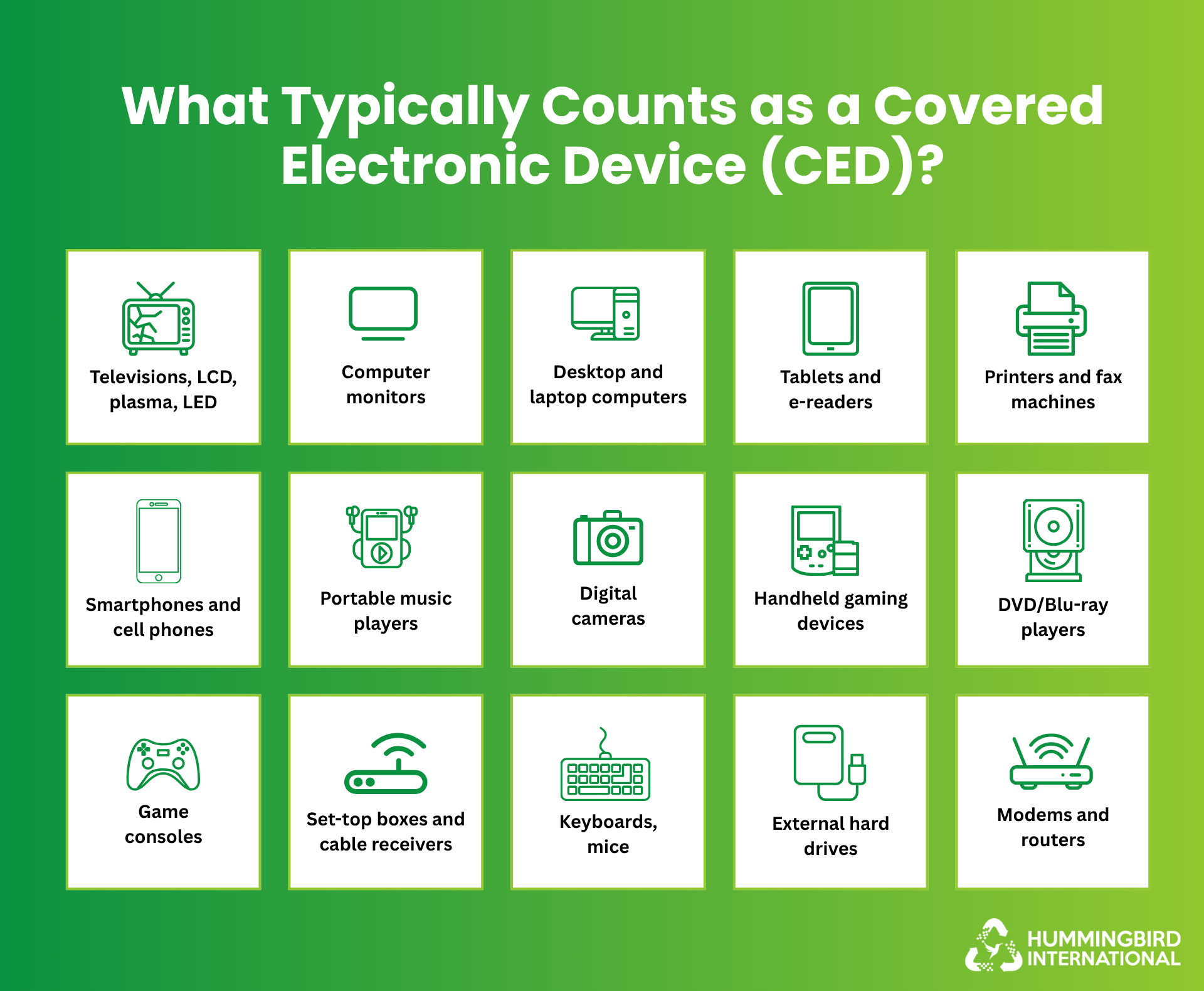
Covered Electronics Devices, or CEDs, are electronics that you cannot just toss in the trash. Legally, a CED is any video display device with a screen that is larger than four inches diagonally. This means that most laptops, monitors, TVs, and tablets fall into this category. Once a device reaches the end of its life, it becomes universal waste, and the law requires it to be recycled properly.
The first step of responsible disposal is understanding which electronics are CEDs.
What Counts as a Video Display Device?
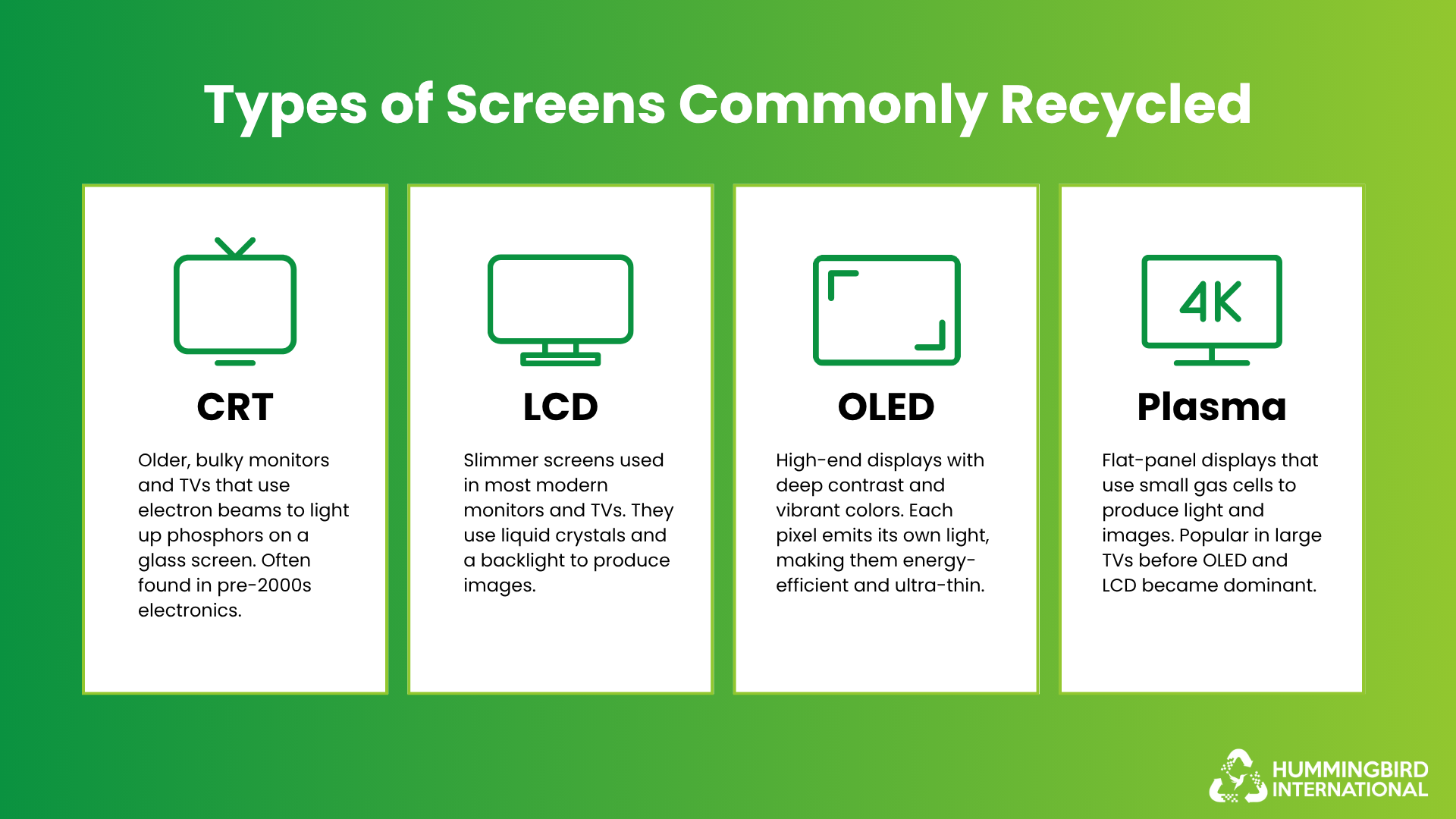
If it has a screen that shows moving images, then it is probably a video display device. A video display device is any electronic product with a screen that can display fast-moving images to create the illusion of motion. They can use different screen technologies, such as CRT, LCD, OLED, or plasma, and each matters when it comes to how they’re recycled.
Here’s a quick rundown:
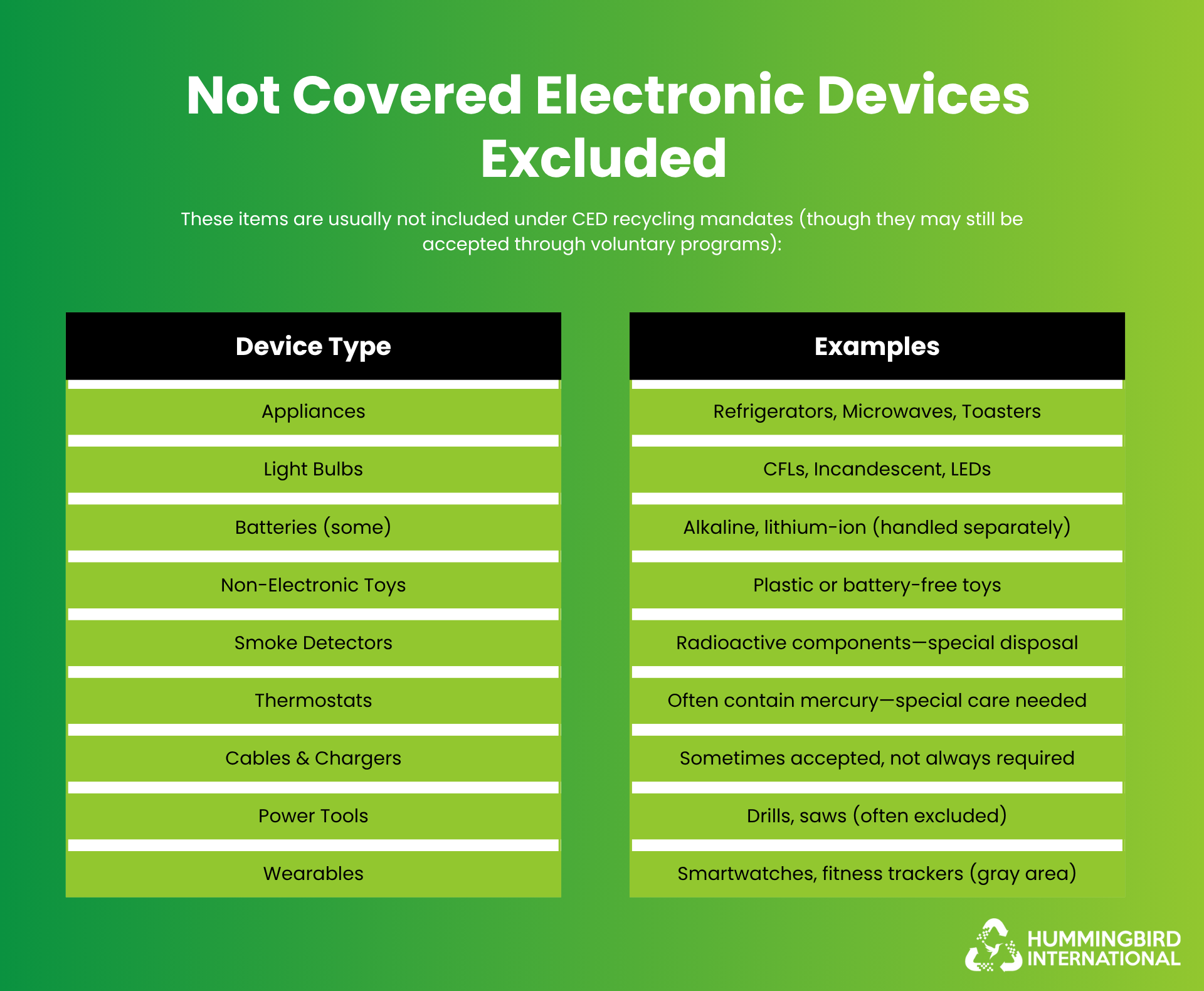
Covered Electronic Devices: Included vs. Not
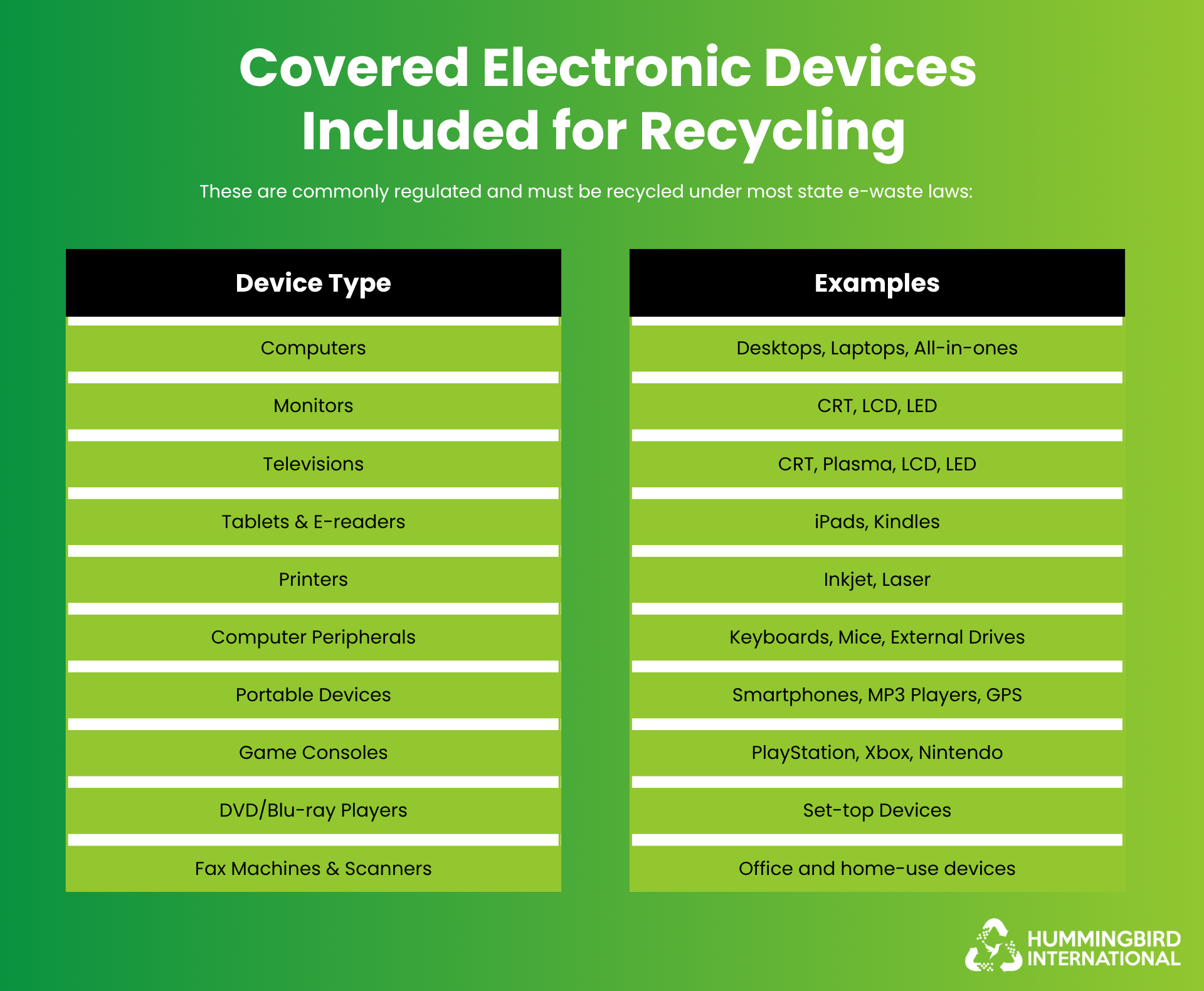
Not every gadget at home counts as a CED. To help you differentiate, here is a practical table showing which devices are included in CEDs and which are not.
| Covered Electronic Devices (CEDs) | Typically Not Considered CEDs |
|
TVs (CRT, LCD, Plasma, OLED) |
Smartphones (varies by state) |
|
Computer monitors (CRT or LCD) |
Cameras |
|
Laptops (LCD or OLED screens) |
Handheld gaming devices |
|
Desktop monitors |
Desktop towers / CPUs |
|
Tablets and smart displays |
Printers, routers |
|
Portable DVD players with screens |
Fax machines, microwave ovens |
If you are in doubt, check your state’s e-waste rules. If your gadget has a large screen that shows motion, then it is safer to assume it is covered. And if it is a CED, how do you recycle it?
Ways to Recycle Covered Electronic Devices (CEDs)
Now that you know your device is a CED, tossing it in the trash is a no-go, but recycling it shouldn’t be stressful. Here’s what you can do instead:
Certified E-Waste Recycling Centers
Drop off your devices at a certified recycling center. These facilities safely dismantle your electronics, remove all the hazardous parts, and salvage reusable components. Always look for facilities that follow e-Stewards standards or R2V3 protocols.
Take Back Programs
Both retailers and manufacturers offer take-back programs. With retailers, you may get store credit or discounts, and with manufacturers, you may get prepaid shipping, as this approach is tied to Extended Producer Responsibility initiatives.
Certified ITAD Recyclers
If you are a business and handle multiple devices, you can connect with a certified IT asset disposal service that can handle large volumes safely and provide you with proper documentation.
City Bulk Pickup
Different states have set up municipalities that offer scheduled bulk pickup for electronics. If you cannot transport your items yourself, this is your best choice.
How to Prepare Your Covered Devices for Recycling
You cannot just send your electronics off for recycling as is; just a little preparation can go a long way. Follow these steps to make sure your devices are free of personal data, safe, and ready to be processed.
Step 1 – Wipe All Personal Data
Even though a factory reset does not completely delete data, it is essential to prep your device for recycling. Remove all your accounts, such as iCloud or Google, so no one can access your data.
Step 2 – Remove Batteries
If the batteries are removable, it is best that you take them out. Lithium-ion batteries, if not handled properly, can be hazardous. Once you take them out, you can recycle them through a certified battery program.
Step 3 – Unplug Accessories
Separate all USB cables, chargers, styluses, SD cards, and all other external accessories. This way, the recycling process stays organized and may allow you to reuse or even donate the extras.
Step 4 – Label Non-Working Devices
You may have non-functional devices; add a small label indicating that the device is non-operational to help recyclers process your items efficiently.
Step 5 – Package Items Neatly
Package your items properly so your device is secure when you are transporting multiple items.
The Bottom Line
Responsible data disposal is a must! No matter what route you take, recycle your CEDs the right way. By following proper recycling methods, you’re protecting the environment, keeping toxic waste out of landfills, and giving electronics a second life.
Take responsibility and recycle with Hummingbird International so your electronics are safe, securely, and fully compliant with state regulations.
FAQs
Can I recycle my CED at any e-waste facility?
Not all facilities accept every type of CED. It is best to use certified e-waste recyclers to ensure your device is safely dismantled.
What happens to my CED after recycling?
Certified recycles and dismantles devices safely, recovers all metals and plastics, and disposes of hazardous components properly.


Leave a Reply