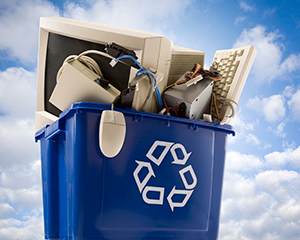
Over time, old computers and laptops pile up at work. They end up in storage rooms, closets, and back offices. That creates two big problems: data risk and environmental risk.
The reality and easy way out, is that you can often reuse, resell, donate, or recycle old devices safely if you follow the right e-waste management methods. The best part is if you choose the right recycler you will be able to derive some value back, as the recycler will pay for equipment that still has resale potential.
- Works well: donate or refurbish
- Works with some issues: refurbish or resell after secure wiping
- Broken or very old: recycle through a certified recycler
- Business devices with sensitive data: use secure e-waste pickup with documented data destruction
What Should You Do With an Old Computer?
Keep it simple, first, decide whether the device still works and whether it had any stored sensitive data.
- Does it power on? If yes, think donation, refurbishing, or resale.
- Did it store business or customer data? If yes, opt for verified wiping or physical destruction.
- Is it missing parts or damaged? If yes, recycle it through a certified partner.
- Do you need chain-of-custody paperwork? If yes, use a certified ITAD-style process.
If you need help selecting a partner, use this guide to finding a certified ITAD partner.
Benefits of Recycling Computers and Laptops
Unlike sping cleaning, recycling is not about “cleaning out old stuff.” The best way to recycle is to find a certified company that takes into consideration all aspects of the impact of old computers in the environment.
Protects the Environment and Your Health
Computers contain materials that should not end up in soil, air, or water. Proper recycling keeps harmful components out of landfills and away from local communities.
Recovers Valuable Materials
Your device can contain valuable materials like copper, aluminum, glass, and small amounts of precious metals. Keeping these materials in use reduces the need for new mining and supports a more circular supply chain. For more context, see planned obsolescence and e-waste growth.
Gives Devices a Second Life
If a computer still works (or needs only a minor repair), reuse often beats recycling. Refurbished computers can support schools, nonprofits, and families that need access to technology. This is also why repurposing and reuse matter.
Protects Your Data
Devices can hold logins, emails, client files, and personal data. Certified recyclers can wipe or destroy drives safely. That lowers the chance of identity theft and data leaks.
Supports Jobs and Local Operations
Recycling and refurbishment require people, processes, and equipment. When you dispose of devices the right way, you support stable work in repair, logistics, and certified processing.
Conserves Natural Resources
Recycling is also a discipline. The goal is simple: keep useful materials in circulation instead of pulling new resources from the ground.
Certified vs Non-Certified Recycler: What’s the Difference?
You may think that any recycler will get rid of your old devices but the recycler you choose matters as much as the decision to recycle.
| What to look for | Certified recycler | Non-certified recycler |
| Data destruction proof | Provides certificates and verified methods | May offer “wiping” with no proof |
| Chain of custody | Tracks devices from pickup to processing | Limited tracking or unclear handoffs |
| Downstream controls | Uses vetted downstream partners | Higher risk of unsafe routing |
| Compliance readiness | Supports audits with documentation | Paperwork is inconsistent or missing |
| Best fit for | Businesses, schools, healthcare, regulated teams | Low-risk household drop-offs (and even then, risky) |
- Certificates of destruction or recycling
- Device-level inventory reporting
- Secure pickup and documented chain of custody
- On-site or off-site data destruction options
Cons of Computer Recycling
Recycling is the smarter choice in most cases. Still, it helps to know the real limitations so you can plan correctly.
Devices Can Be Hard to Disassemble
Computers contain mixed materials and require careful handling. That is why trained technicians and certified facilities matter. If you want a secure, documented option, start with computer disposal services.
Older Devices May Contain Hazardous Components
Older equipment can include lead, mercury, or flame-retardant plastics. If a recycler is not certified, workers and the environment may face higher risk.
Data Risk Is Real
If your device still holds files, handing it off without verified wiping can lead to identity theft or corporate exposure. Not all recyclers offer secure destruction. If you manage business equipment, use a provider that supports secure e-waste pickup and documented drive processing.
Recycling Can Reduce Reuse If You Do It Too Early
If a device still works, reuse or donation may create more impact than recycling. A simple repair can extend a computer’s life and support someone who needs access to technology.
The Consequences of Not Recycling
Skipping recycling may not feel serious at the moment. Over time, the damage adds up. Here is what typically happens when old computers are dumped, stored forever, or handled informally.
| Consequence | Why It Impacts People or the Environment |
| Toxic chemicals leak into soil and water | Heavy metals can contaminate groundwater and crops, harming people and ecosystems. |
| Toxic fumes from burning e-waste | Burning releases hazardous smoke that pollutes air and can enter the food chain. |
| More demand for mining | Wasted materials increase the need for new extraction and higher emissions. |
| Landfills grow faster | Computers take up space and force communities to expand landfill capacity. |
| Lost reuse opportunity | Usable devices could support schools, nonprofits, or families instead of going to waste. |
Related Guides (Next Steps)
- Schedule secure e-waste pickup for businesses
- Computer disposal services and accepted equipment
- How to choose a certified ITAD partner
- How to destroy data on old hard drives
- Hard drive disposal guide
Conclusion
Every computer you recycle the right way helps reduce pollution, protect resources, and lower data risk. Even small changes make a difference, especially as more homes and workplaces cycle through devices faster than ever.
Schedule an E-Waste Pickup
FAQs
What happens if I don’t recycle my old computer?
If you don’t recycle it, it can lead to toxic leakage, landfill waste, and higher demand for mining. It can also increase data risk if the device still holds sensitive information.
How can I be sure my old computer is recycled ethically?
Look for certified e-waste recyclers (such as R2v3 or e-Stewards) that provide secure data destruction, proper downstream handling, and documented reporting.
Can I get financial value from recycling my old computer?
Sometimes. Devices with usable parts or resale value may qualify for buyback, trade-in, or remarketing. A certified partner can also help you decide whether to resell, refurbish, or recycle.
What’s the difference between donating, refurbishing, and recycling a computer?
- Donating: You give a working device to someone who can use it.
- Refurbishing: A device is repaired or upgraded to extend its life.
- Recycling: Materials are recovered from non-functional devices to prevent environmental harm.
Choosing the right option depends on condition, age, and data sensitivity.


Leave a Reply