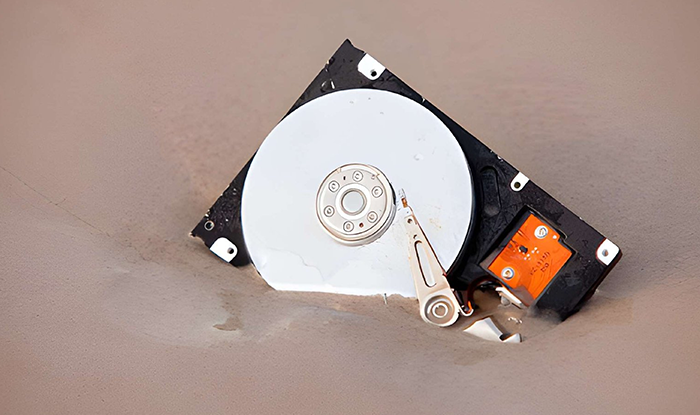
Every retired device carries a history of stored information, much of it still recoverable without proper handling. As organizations upgrade systems and scale operations, the risk tied to outdated hardware continues to grow. A structured approach to data destruction and device disposal helps reduce exposure, maintain compliance, and ensure that no critical data is left behind.
To begin with, below are the key terms you need to know about.
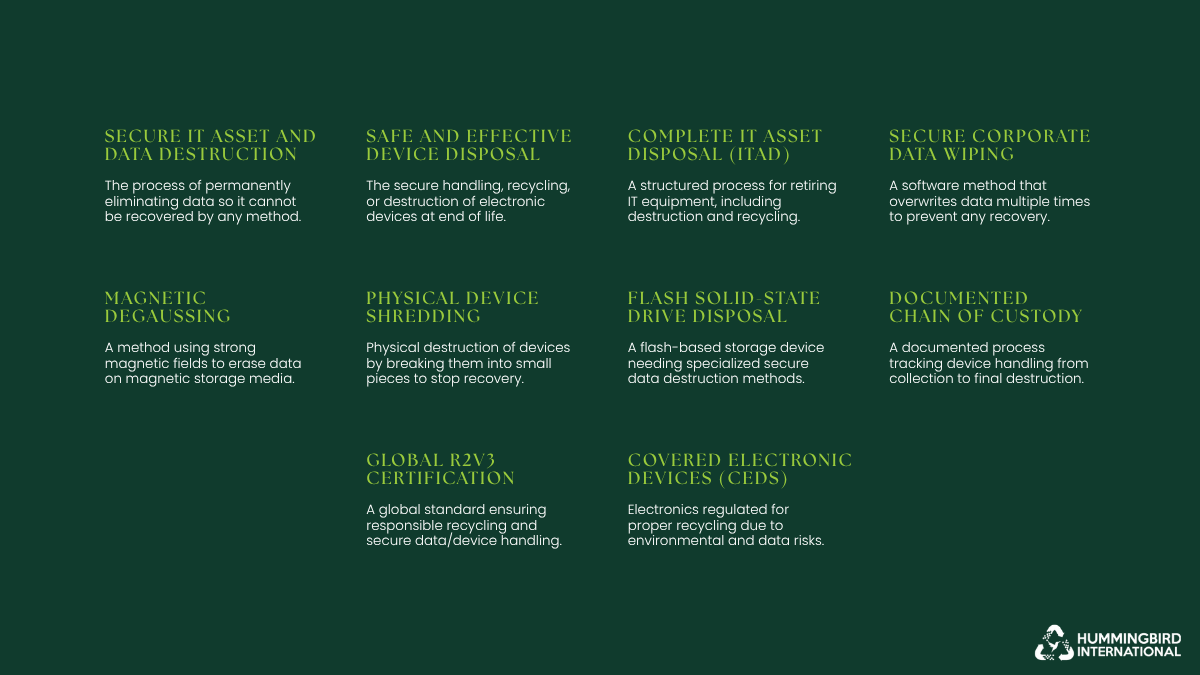
Key terms related to data destruction and device disposal.
- Data Destruction: The process of permanently removing or destroying data so it cannot be recovered by any means.
- Device Disposal: The safe handling, recycling, or destruction of electronic devices at the end of their lifecycle.
- IT Asset Disposal (ITAD): A structured process for retiring IT equipment, including data destruction, recycling, and asset tracking.
- Data Wiping: A software-based method that overwrites existing data multiple times to make recovery impossible.
- Degaussing: A method that uses strong magnetic fields to disrupt and erase data stored on magnetic media like hard drives.
- Shredding: Physical destruction of storage devices by breaking them into small pieces to prevent data recovery.
- Solid-State Drive (SSD): A type of storage device that uses flash memory, requiring specialized methods for secure data destruction.
- Chain of Custody: A documented process that tracks the handling and transfer of devices from collection to final destruction.
- R2v3 Certification: A global standard that ensures responsible recycling and secure handling of electronic devices and data.
- Covered Electronic Devices (CEDs): Specific types of electronics that are regulated for proper recycling and disposal due to environmental and data risks.
- Why Data Destruction and Device Disposal Matter Now More Than Ever
- What Is Data Destruction? (And What It Is Not
- Types of Devices That Store Sensitive Data
- Common Risks of Improper Data Disposal
- The Most Popular Data Destruction Methods Explained
- Six Best Practices for Secure Data Destruction
- 1. Maintain a Complete Asset Inventory
- 2. Choose Certified Vendors for Enterprise E-Waste Recycling
- 3. Implement Secure Onsite and Offsite Data Destruction Processes
- 4. Verify Destruction with Certificates and Audit Trails
- 5. Separate Reusable and End-of-Life Devices
- 6. Train Internal Teams on Data Handling Procedures
- How to Choose a Secure Data Destruction Partner?
- Conclusion: Protect, Comply, and Dispose with Confidence
- Frequently Asked Questions
Why Data Destruction and Device Disposal Matter Now More Than Ever
Did you know? E-waste is growing 5x faster than recycling efforts.
As a result, the volume of digital data continues to expand at a pace that most organizations struggle to control. Every upgrade, replacement, or decommissioned device adds to a growing pool of hardware that still holds sensitive information.
Without knowing how to destroy data securely or having a clear disposal strategy, these devices become one of the weakest points in an organization’s security framework.
A closer look at current trends shows why secure data destruction has become a critical priority for organizations of every size.
Device turnover is accelerating
Businesses are replacing hardware more frequently to keep up with performance demands, cloud integration, and evolving infrastructure. This shorter lifecycle increases the volume of devices entering disposal channels.
Data does not disappear when devices are retired
Deleting files or formatting a drive does not fully remove data. Residual data can often be recovered using basic tools, making improperly discarded devices a direct security risk.
The financial impact of data exposure is rising
The global average cost of a data breach reached $4.88 million in 2024, underscoring the real consequences of weak data-handling practices.
Data is now spread across multiple environments
Around 40% of breaches involve data stored across cloud, on-premise, and hybrid systems, making it harder to track and secure information throughout its lifecycle.
Compliance requirements are becoming stricter
Regulations increasingly demand proof of secure data destruction, including documentation, audit trails, and certified processes. Failure to comply can result in legal penalties and reputational damage.
E-waste continues to grow at a global scale
Global e-waste reached 62 billion kg in 2022, yet only 22.3% is formally recycled, leaving a large volume of devices potentially exposed to unsafe handling and data recovery risks.
This growing intersection of data volume, device turnover, and regulatory pressure makes secure data destruction no longer optional. It is now a core part of responsible IT management.
Also Read:
How to Decommission a Hyperscale Data Center
What Are Covered Electronic Devices (CEDs) and How Should You Recycle Them?
What Is Data Destruction? (And What It Is Not
Data destruction is the process of permanently removing data from a storage device so that it cannot be recovered, reconstructed, or accessed again. It goes beyond routine deletion and requires deliberate methods designed to eliminate data at a physical or digital level.
In a business context, data destruction is a technical step and also a part of a broader security and compliance process that ensures sensitive information, whether customer records, financial data, or internal communications, does not remain exposed when devices are retired, reused, or discarded. Proper data destruction procedures and certificates, such as R2v3, ensure secure data handling of devices with sensitive data to meet regulatory and audit requirements.
At its core, effective data destruction ensures three things:
- Data is completely irretrievable
- The process is consistent and repeatable
- There is proof that destruction has taken place
However, myths about IT asset disposal are everywhere. Many everyday actions are often mistaken for true data destruction, even though they leave data vulnerable to recovery.
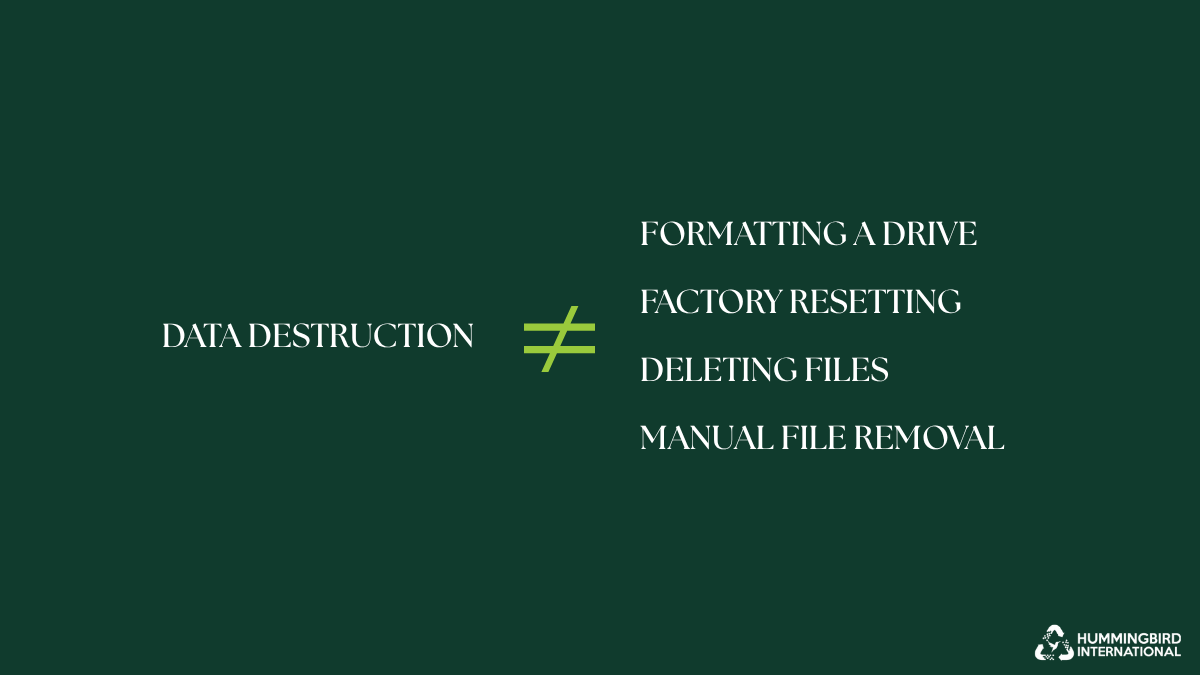
True data destruction is not limited to formatting, resetting, deleting, or manual file removal.
These include:
-
Deleting files
When files are deleted, the system simply removes their reference from the directory. The actual data remains on the storage medium until it is overwritten, which means it can often be recovered using widely available software.
-
Formatting a drive
Formatting resets the device’s file structure, but it does not fully erase the stored data. In many cases, large portions of the original data remain intact and recoverable, especially with standard recovery tools.
-
Factory resetting devices
While factory resets remove user-facing data and restore default settings, they may not securely erase all stored information, particularly on certain devices like smartphones or embedded systems.
-
Manual file removal or basic clearing methods
Simply clearing folders or emptying recycle bins does not eliminate the underlying data. These actions only affect visibility, not the physical presence of the data itself.
Understanding these distinctions is essential. Without proper data destruction methods, devices that appear “clean” can still carry significant security risks beneath the surface.
Types of Devices That Store Sensitive Data
Sensitive data is not limited to obvious devices like laptops or servers. It exists across a wide range of equipment used in daily operations, many of which are often overlooked during disposal. Identifying all potential data-bearing devices is the first step toward secure data management.
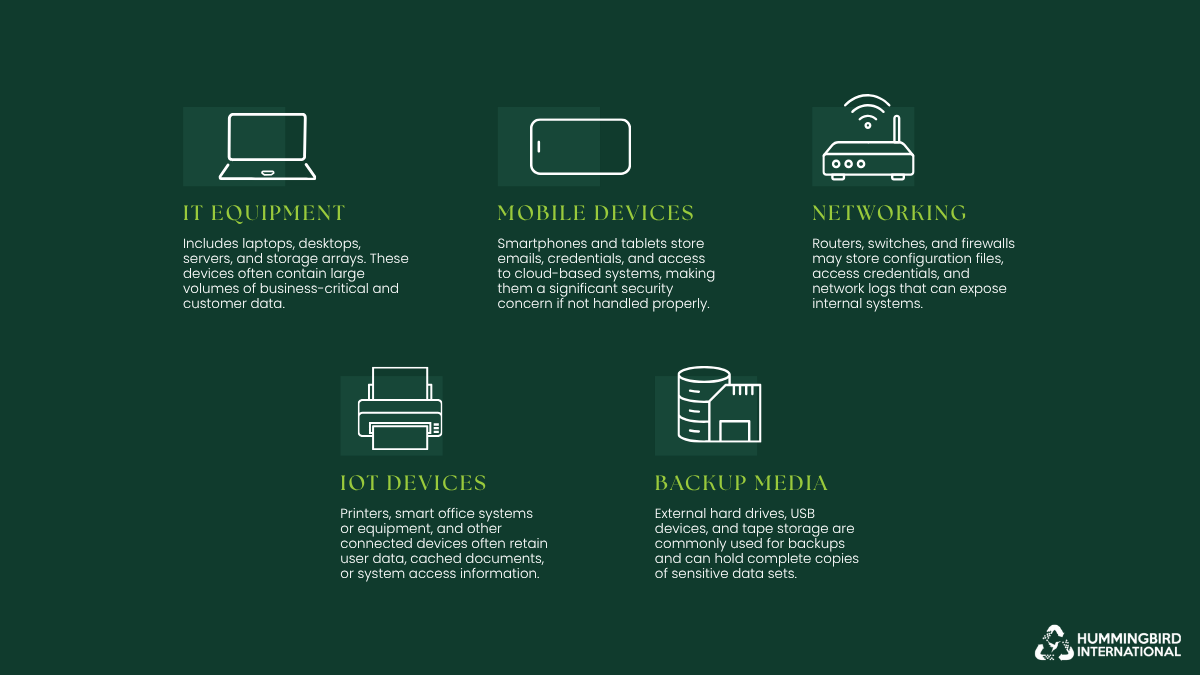
IT equipment, mobile devices, networking hardware, IoT devices, and backup media store important data.
- IT equipment: Includes laptops, desktops, servers, and storage arrays. These devices often contain large volumes of business-critical and customer data.
- Mobile devices: Smartphones and tablets store emails, credentials, and access to cloud-based systems, making them a significant security concern if not handled properly.
- Networking hardware: Routers, switches, and firewalls may store configuration files, access credentials, and network logs that can expose internal systems.
- Embedded and IoT devices: Printers, smart office equipment, and other connected devices often retain user data, cached documents, or system access information.
- Backup media: External hard drives, USB devices, and tape storage are commonly used for backups and can hold complete copies of sensitive data sets.
Common Risks of Improper Data Disposal
When devices leave your control without proper data destruction, do they simply become obsolete? Not really. They turn into potential entry points for data exposure. The risks are not limited to large enterprises. Any organization that handles sensitive information can face serious consequences if disposal is handled carelessly.
1. Data Breaches and Identity Theft

Image Source: istock/tsingha25 – Devices hold sensitive data that, if not destroyed, can lead to costly breaches and identity theft.
Improperly discarded devices often retain recoverable data, including:
- Customer records
- Login credentials
- Financial details
If accessed, this information can be used for identity theft or unauthorized transactions. The global average cost of a data breach reached $4.45 million in 2023, showing how quickly a single lapse can escalate into a major financial issue
2. Corporate Espionage

Image Source: istock/Balefire9 – Corporate espionage becomes a real risk when sensitive data from devices isn’t destroyed.
Old hardware can reveal far more than expected. Internal documents, product plans, and proprietary systems data may still exist on retired devices. Around 83% of organizations reported more than one data breach in 2023, indicating how persistent and widespread data exposure risks have become.
3. Regulatory Fines and Legal Exposure

Image Source: istock/Andrii Yalanskyi – Maintaining security standards to avoid fines and legal exposure.
Data protection regulations require organizations to handle sensitive information responsibly, even at the point of disposal. Failure to securely destroy data can lead to non-compliance, resulting in fines and legal action. Under regulations like GDPR, penalties can reach up to €20 million or 4% of annual global turnover, whichever is higher.
4. Brand and Reputation Damage

Image Source: istock/Userba011d64_201 – A damaged or negative brand reputation.
A single incident involving exposed data can quickly erode trust. Clients and partners expect organizations to safeguard their information at every stage, including disposal. Studies show that over 60% of consumers would stop doing business with a company after a data breach, highlighting the long-term impact on reputation and customer retention.
Risks vs Consequences of Improper Data Disposal
| Risk | Potential Consequence | Example/Impact |
| Data breaches and identity theft | Financial loss, customer trust erosion | Stolen credentials leading to fraud |
| Corporate espionage | Loss of competitive advantage | Leaked product plans or internal reports |
| Regulatory fines and legal exposure | Fines, legal action | GDPR, HIPAA, or local regulations |
| Brand and reputation damage | Decreased customer loyalty, negative publicity | Publicized breach affecting sales |
The Most Popular Data Destruction Methods Explained
Choosing the right data destruction method depends on how the device will be handled after use, the sensitivity of the data it contains, and any applicable compliance requirements. No single method fits every approach. Some methods allow devices to be reused, while others are designed to eliminate both the data and the hardware entirely.
Before comparing methods side by side, let’s first understand how each one works in practice and where it is most effective.
- Data Wiping (Software-Based Erasure)

Image Source: istock/wildpixel – Wiping off sensitive data to steer clear of security threats.
Data wiping uses specialized software to overwrite existing data on a storage device multiple times. This process ensures that the original data cannot be reconstructed, even with advanced recovery tools. It is widely used when devices are intended for reuse, resale, or redeployment within an organization.
- Overwrites data with structured patterns across the entire drive
- Suitable for laptops, desktops, and some enterprise storage systems
- Supports compliance when aligned with recognized standards
- Allows the device to remain functional after the process
- Degaussing (Magnetic Data Erasure)
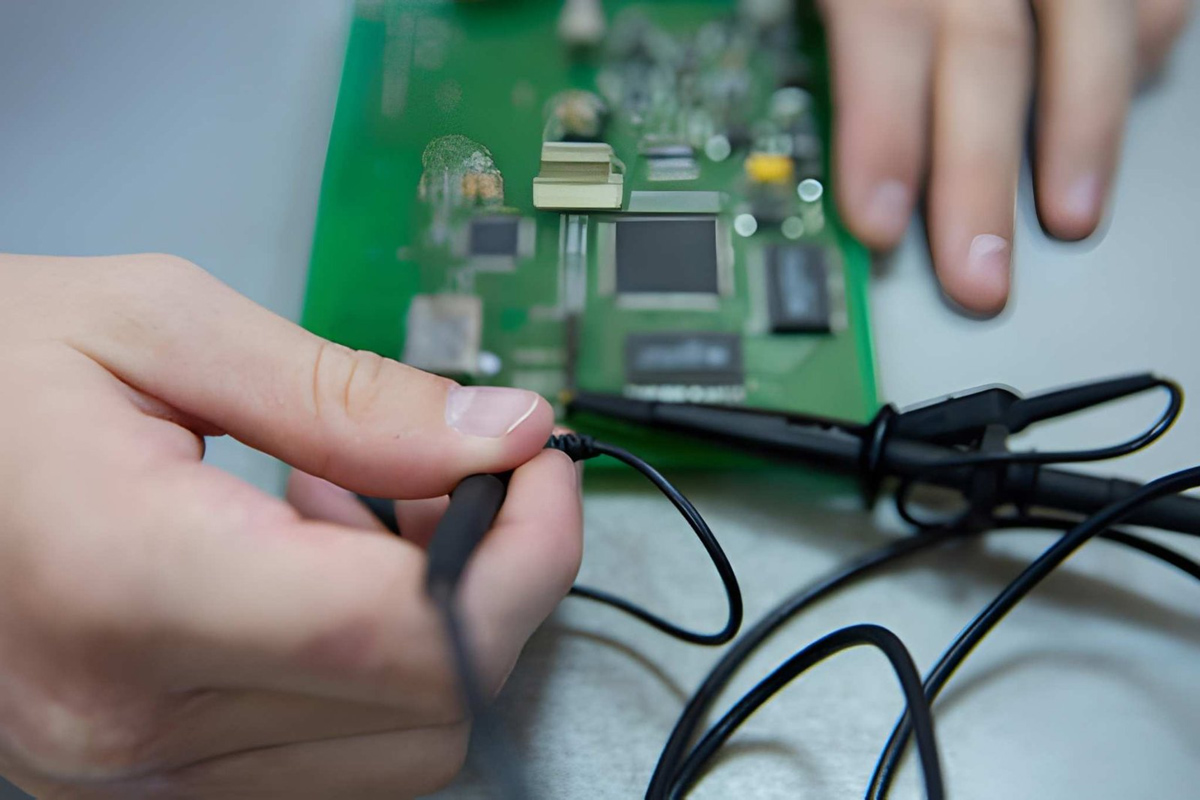
Image Source: istock/Y.Gurevich – Degaussing / magnetic erasure of data from a hard drive.
Degaussing involves exposing magnetic storage media to a powerful magnetic field, which disrupts the structure of the data stored on the device. This method is highly effective for traditional hard disk drives but renders the device permanently unusable.
- Eliminates data by scrambling magnetic domains on the disk
- Effective only for magnetic media such as HDDs and tapes
- Leaves no possibility of data recovery
- Destroys the operational capability of the device
- Shredding (Physical Destruction)
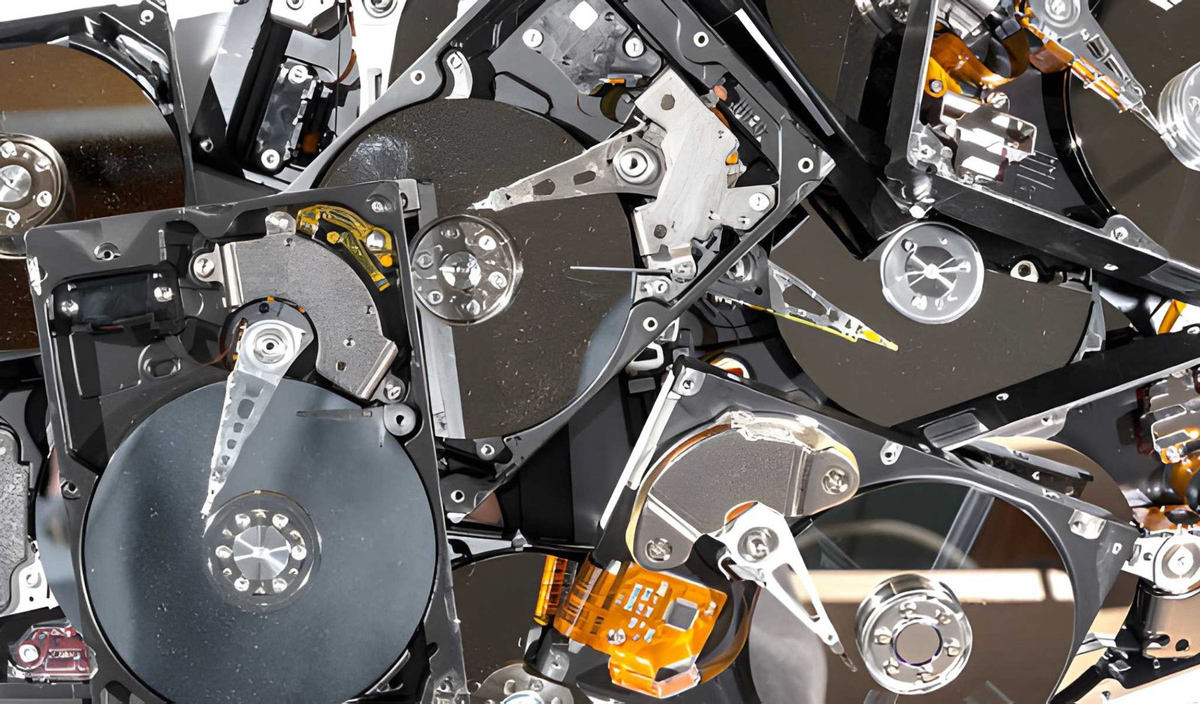
Image Source: istock/madsci – Shredding / physically breaking hard devices to get rid of sensitive data.
Shredding physically breaks storage devices into small fragments using industrial-grade equipment. It is one of the most secure methods of data destruction, as it completely destroys the media and any data stored on it.
- Breaks devices into small, unrecoverable pieces
- Works across all types of storage media, including SSDs and HDDs
- Often used for highly sensitive or regulated data
- Ensures complete and irreversible destruction
- Crushing (Mechanical Destruction)
- Crushing (Mechanical Destruction)
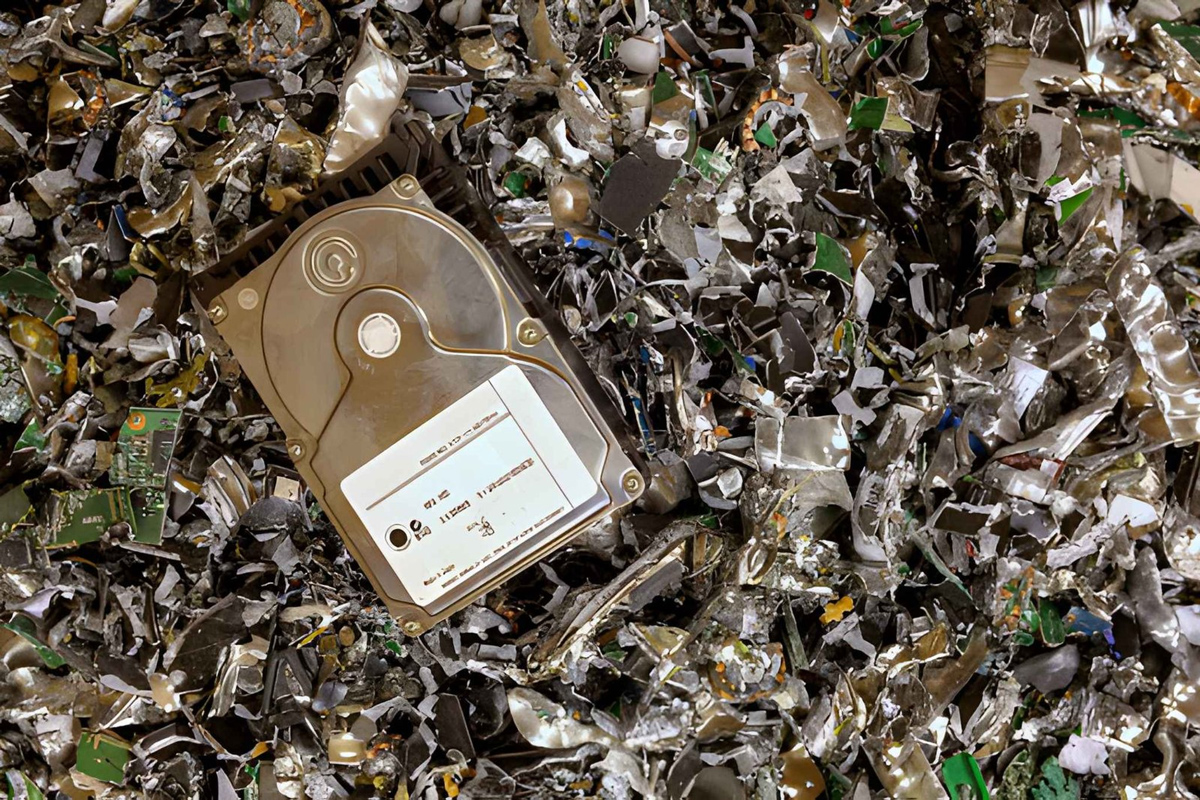
Image Source: istock/hroe – Crushing / mechanical destruction of the hard drive for data removal.
Crushing uses mechanical force to deform or puncture storage devices, damaging the internal components that store data. While not as thorough as shredding, it is still an effective method for preventing standard data recovery.
- Applies force to physically damage internal storage components
- Suitable for hard drives and some solid-state devices
- Faster and often more cost-effective than shredding
- May require additional steps for maximum security
Data Destruction Methods Comparison
Below is a comparison of all common data destruction methods:
| Method | How it Works | Best For | Security Level | Reusability |
| Data Wiping | Software overwriting | Reusable devices | High | Yes |
| Degaussing | Magnetic disruption | HDDs | Very High | No |
| Shredding | Physical destruction | All media | Maximum | No |
| Crushing | Mechanical damage | Drives | High | No |
Each of these methods plays a distinct role in a well-structured data destruction strategy. In many cases, organizations use a combination of approaches based on the type of device and the level of risk involved.
Related Guide:
A Complete Hard Drive Disposal Guide
Six Best Practices for Secure Data Destruction
A strong data destruction strategy depends on clear processes, accountability, and consistent execution. It should cover every stage of the device lifecycle, from tracking assets to verifying final destruction. When handled properly, secure data destruction supports compliance, reduces risk, and aligns with broader sustainability goals such as enterprise e-waste recycling.
1. Maintain a Complete Asset Inventory
A well-maintained inventory is the foundation of secure data destruction. Without full visibility into your IT assets, devices can easily be misplaced, forgotten, or improperly disposed of, increasing the risk of data exposure.
- Track all data-bearing devices, including laptops, servers, mobile devices, and backup media
- Include less obvious assets such as printers, networking equipment, and IoT devices
- Update records continuously as devices are deployed, transferred, or retired
- Link each asset to its final disposition, whether reuse, recycling, or destruction
2. Choose Certified Vendors for Enterprise E-Waste Recycling
Partner with qualified providers who ensure that devices are handled securely and disposed of in an environmentally responsible manner. Certified vendors follow established standards for both data destruction and enterprise e-waste recycling, reducing the likelihood of compliance issues.
- Work with vendors that meet recognized certifications such as R2v3
- Evaluate their processes for data handling, destruction, and recycling
- Confirm their ability to manage large-scale or enterprise-level disposal needs
- Ensure transparency in reporting and operational practices
3. Implement Secure Onsite and Offsite Data Destruction Processes
Organizations should establish defined procedures for both on-site and off-site data destruction to maintain control over how devices are handled. Each approach serves a purpose, but both must follow strict security and documentation standards.
- Use onsite data destruction when immediate oversight or higher security control is required
- Ensure off-site data destruction includes secure transportation and a documented chain of custody
- Define clear criteria for when each method should be applied
- Monitor and audit both processes to ensure consistency and compliance
4. Verify Destruction with Certificates and Audit Trails
Documentation is essential for proving that data has been securely destroyed. Without it, organizations may struggle to demonstrate compliance during audits or investigations.
- Obtain certificates of destruction for all disposed devices
- Maintain detailed records of dates, methods, and responsible parties
- Ensure documentation aligns with regulatory and internal compliance requirements
- Store records securely for future reference and audits
5. Separate Reusable and End-of-Life Devices
Not all devices require the same level of destruction. Some can be securely wiped and reused, while others must be physically destroyed due to their condition or the sensitivity of the data they contain.
- Identify devices suitable for secure data wiping and redeployment
- Isolate devices that require physical destruction due to damage or high-risk data
- Align decisions with both security policies and sustainability initiatives
- Integrate reuse strategies into broader enterprise e-waste recycling efforts
6. Train Internal Teams on Data Handling Procedures
Even with the right tools and vendors, human error remains a common risk. Training ensures that employees understand how to handle devices properly throughout their lifecycle, especially during retirement and disposal.
- Educate staff on the risks of improper data disposal
- Establish clear internal protocols for device handling and transfer
- Ensure coordination between IT, compliance, and operations teams
- Conduct periodic reviews to keep teams aligned with updated policies
When these practices are applied consistently, data destruction becomes a structured and reliable process rather than a reactive task. This strengthens data security and supports compliance and responsible device management at scale.
How to Choose a Secure Data Destruction Partner?
So, how do you know if a data destruction provider is actually secure or just claiming to be? When sensitive data is involved, assumptions are risky. The right partner should not only offer services but also demonstrate clear processes, verifiable standards, and the ability to handle your organization’s scale—whether it’s commercial data disposal for enterprises, residential data disposal for households, or specialized tasks like paper and document shredding —without compromise.
-
Certifications and Industry Standards
A reliable provider should follow recognized certifications that validate both data security and environmental responsibility. These standards indicate that the vendor operates within established frameworks and can be trusted with sensitive assets. Common certifications include:
– R2v3
Focuses on responsible recycling and secure handling of electronic devices, including strict requirements for data destruction and downstream accountability.
A widely recognized standard for media sanitization that outlines approved methods for securely wiping data from storage devices. It defines clear processes for data erasure, verification, and documentation, making it a benchmark for compliant data destruction practices.
Emphasizes ethical recycling practices, data security, and the prohibition of exporting hazardous e-waste to developing countries.
– NAID AAA
Specializes in secure data destruction standards, ensuring providers follow strict protocols for handling and destroying sensitive information.
An international standard for information security management systems, ensuring that the provider maintains strong data protection controls across operations.
Focuses on environmental management, confirming that disposal and recycling processes meet sustainability and regulatory requirements.
-
Chain of Custody Controls
The provider must maintain a clear and documented chain of custody from the moment devices are collected to their final destruction. This ensures accountability at every stage and reduces the risk of data exposure during handling or transport.
-
Transparency in Processes
Clear visibility into how devices are handled, transported, and destroyed is essential. A trustworthy partner should be able to explain their processes in detail and provide assurance that proper safeguards are in place.
-
Reporting and Documentation
Comprehensive reporting is necessary for compliance and internal records. This includes certificates of destruction, audit logs, and detailed summaries of how each asset was processed.
-
Scalability and Operational Capacity
For organizations managing large volumes of equipment, especially in hyperscale or enterprise environments, the provider must be able to handle high-volume data destruction without compromising security or timelines.
Choosing a partner that meets these criteria helps ensure that data destruction is handled securely, consistently, and in compliance across all stages of the process.
Conclusion: Protect, Comply, and Dispose with Confidence
Today, secure data destruction and responsible device disposal are critical components of any organization’s security and compliance strategy. By understanding risks, implementing best practices, and partnering with certified providers, businesses can protect sensitive information, maintain regulatory compliance, and support sustainable e-waste recycling for enterprises.
A structured approach ensures that every device, from laptops to backup media, is handled safely, minimizing exposure while providing peace of mind and verifiable proof of destruction.
Frequently Asked Questions
Check out the FAQs to address common questions around data destruction, compliance, and device handling. These answers are designed to clarify how secure data destruction and e-waste recycling work in practical, real-world scenarios.
1. What is the safest data destruction method?
The safest method depends on the sensitivity of the data and whether the device needs to be reused. For highly sensitive information, physical destruction such as shredding offers the highest level of security by completely destroying the media. For reusable devices, certified data wiping methods that follow standards like NIST SP 800-88 provide a secure and compliant alternative.
2. Can SSDs be securely wiped?
Yes, SSDs can be securely wiped, but they require specialized methods. Unlike traditional hard drives, SSDs use flash memory and wear-leveling technology, which can make standard wiping less reliable. Using tools that follow guidelines such as NIST SP 800-88 or manufacturer-supported secure erase commands helps ensure effective data removal. For highly sensitive data, physical destruction is often recommended. Partnering with a professional data destruction provider further ensures the process is handled correctly and verified.
3. Is deleting files from my device enough to protect my data?
No, deleting files is not enough to protect your data. When you delete a file, it is only removed from the system’s index, not from the device itself. The underlying data often remains intact and can be recovered using basic tools. This creates a serious risk, as sensitive information may still be accessible even after it appears to be removed. Proper data destruction methods are required to ensure complete and permanent removal.
4. Can off-site data destruction be trusted for sensitive information?
Yes, offsite data destruction can be trusted—but only if the provider follows strict security protocols. Professional vendors maintain a documented chain of custody, secure transportation, and certified destruction processes to protect sensitive data during transit and disposal.
Partner with a certified provider, like Hummingbird International, that offers both on-site and off-site data destruction, depending on your needs. This makes sure your devices are handled responsibly, whether through secure shredding, degaussing, or verified wiping.
5. Do you provide proof that data has been destroyed?
Yes. Every data destruction process comes with full proof, including a Certificate of Destruction (CoD), detailed serial number logs, and a signed chain-of-custody. These documents verify that each device was securely handled and destroyed, ensuring compliance with regulatory standards and providing peace of mind for audits or internal record-keeping.


Leave a Reply